Business Central training, without posting to BC.
With Simetta for Dynamics 365 Business Central, new order takers, buyers, warehouse staff and accountants practice on simulated BC pages: the same page names, FastTabs, actions and lines they will use on day one. Posting, applying entries, credit limits and price lists behave the way they do in your company.
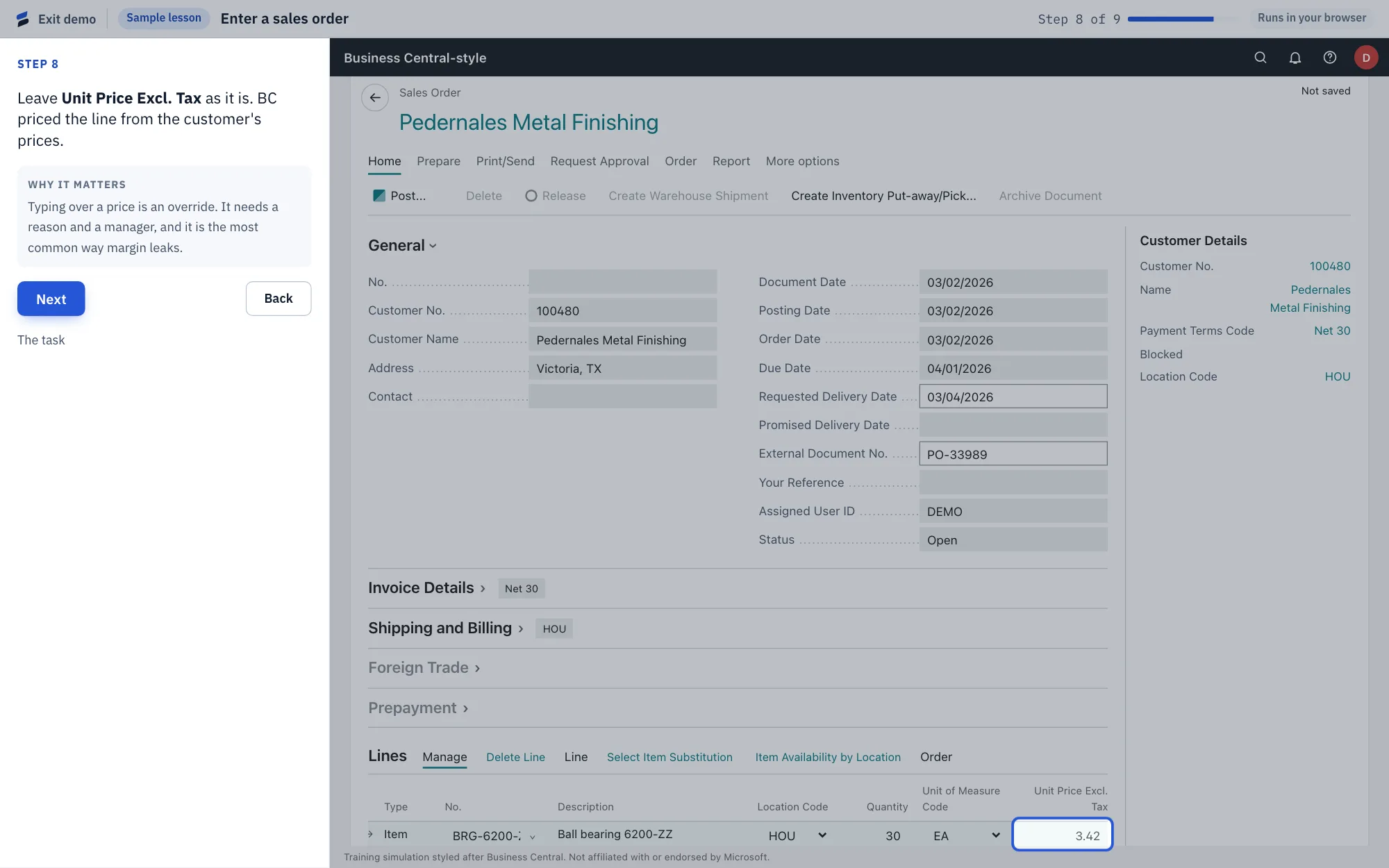
Business Central training by department
34 modules, 105 guided lessons. Each department’s track runs from finding your way around BC to a module exam.
Customer Service and Sales
- Getting around · Finding your way in Business Central4 skills
- Order to cash 1 · Sales orders3 skills
- Order to cash 3 · Quotes2 skills
- Order to cash 4 · New customers2 skills
- Order to cash 5 · Returns and credits2 skills
- Order to cash 8 · Sales invoices2 skills
- Order to cash 9 · Blanket sales orders1 skills
- Customer service 1 · Changing orders3 skills
- Customer service 2 · Drop shipments and special orders4 skills
- Customer service 3 · Where's my order?4 skills
- Pricing 1 · Sales price lists4 skills
- Pricing 2 · Line discounts3 skills
- Cross-training · Order to cash3 skills
- Cross-training · Procure to pay5 skills
Purchasing
- Procure to pay 1 · Buying and receiving4 skills
- Procure to pay 5 · Vendor returns and expediting3 skills
- Reordering 1 · Planning and the Requisition Worksheet4 skills
- Procure to pay 6 · Landed cost2 skills
- Procure to pay 7 · Quotes and blanket orders2 skills
Warehouse
- Inventory 1 · Items and adjustments4 skills
- Inventory 2 · Transfers2 skills
- Warehouse 1 · Bins and picking5 skills
- Warehouse 3 · Warehouse receipts and shipments2 skills
Accounting
- Order to cash 2 · Getting paid5 skills
- Procure to pay 2 · Paying vendors4 skills
- Procure to pay 3 · Bills without a purchase order4 skills
- Procure to pay 4 · Checks2 skills
- Order to cash 7 · Corrections and collections4 skills
- Finance 3 · Financial reports and posted journals2 skills
- Order to cash 6 · Credit and collections5 skills
- Finance 1 · General ledger and month-end3 skills
- Finance 2 · Closing the month4 skills
The Business Central pages in the simulator
Grouped by the work they’re used for. More pages ship as new tracks are built.
- Orders and quotes
- Sales Order
- Sales Quote
- Sales Invoice
- Posted Sales Shipments
- Blanket Sales Order
- Purchasing
- Purchase Order
- Requisition Worksheets
- Purchase Return Order
- Posted Purchase Receipts
- Purchase Quote
- Blanket Purchase Order
- Shipping and receiving
- Inventory Pick
- Inventory Put-away
- Warehouse Receipt
- Warehouse Shipment
- Inventory and warehouse
- Item Reclass. Journals
- Item Journals
- Physical Inventory Journals
- Transfer Order
- Returns
- Sales Return Order
- Accounts receivable
- Cash Receipt Journals
- Customer Ledger Entries
- Sales Credit Memo
- Posted Sales Invoice
- Reminders
- Statement
- Finance Charge Memos
- Bank Deposit
- Accounts payable
- Purchase Invoice
- Payment Journals
- Check Ledger Entries
- Purchase Credit Memo
- Vendor Ledger Entries
- Incoming Documents
- Pricing
- Sales Price List
- General ledger
- General Journals
- Recurring General Journals
- General Ledger Entries
- General Ledger Setup
- Bank Acc. Reconciliation
- Chart of Accounts
- Financial Reports
- Posted General Journals
- System setup
- Payment Terms
- Bins
- No. Series
- Users
- Warehouse Employees
- Requests to Approve
- Customer, vendor and item records
- Customer Card
- Ship-to Address
- Vendor Card
- Item Card
- Stockkeeping Unit Card
Business Central questions
Is Simetta made by Microsoft?
No. Simetta is an independent training product from Uptimize Solutions. It is not affiliated with or endorsed by Microsoft. Its screens are a training simulation styled after Dynamics 365 Business Central.
Does Simetta connect to our Business Central tenant?
No. Trainees practice in Simetta’s own sandbox, which has its own business-rules engine. They don’t sign in to Business Central to train, and nothing they do is posted to your BC company.
Which Business Central pages does Simetta cover?
54 BC-style pages today, including Sales Order, Sales Quote, Purchase Order, Cash Receipt Journal, Payment Journal, Item Journal, Item Reclassification Journal, Transfer Order, Requisition Worksheet, General Journal and Bank Account Reconciliation, reached the BC way through Tell Me search.
We still use Sales Prices, not price lists. Is that covered?
Yes. Pricing is taught on the new sales price lists, and a second set of pricing lessons uses the older Sales Prices and Sales Line Discounts pages for companies that haven’t switched on the new pricing experience.
Can training use our own customers and items?
Yes. You can import customers, ship-tos, items, vendors and stock from a spreadsheet, so trainees practice on the names they will see in your Business Central. A demo distributor is included for trying it first.
Can it train our people on our own procedures?
Yes. Upload an SOP and Simetta drafts a training module from it on the Business Central pages: a guided lesson and a scored test for each skill, which you review and approve before anyone sees it.
Five minutes on the demo will tell you more than this page can.
Play a real lesson, take the scored test, then see what your manager would see.